
In this article, you will learn how to set up your app with a review system of your choice: Google, Yelp, Facebook, or another social media platform. This will help you gather information about your business, what to improve, and if your clients were satisfied with the services that your firm provided.
Part 1: SMS Messages
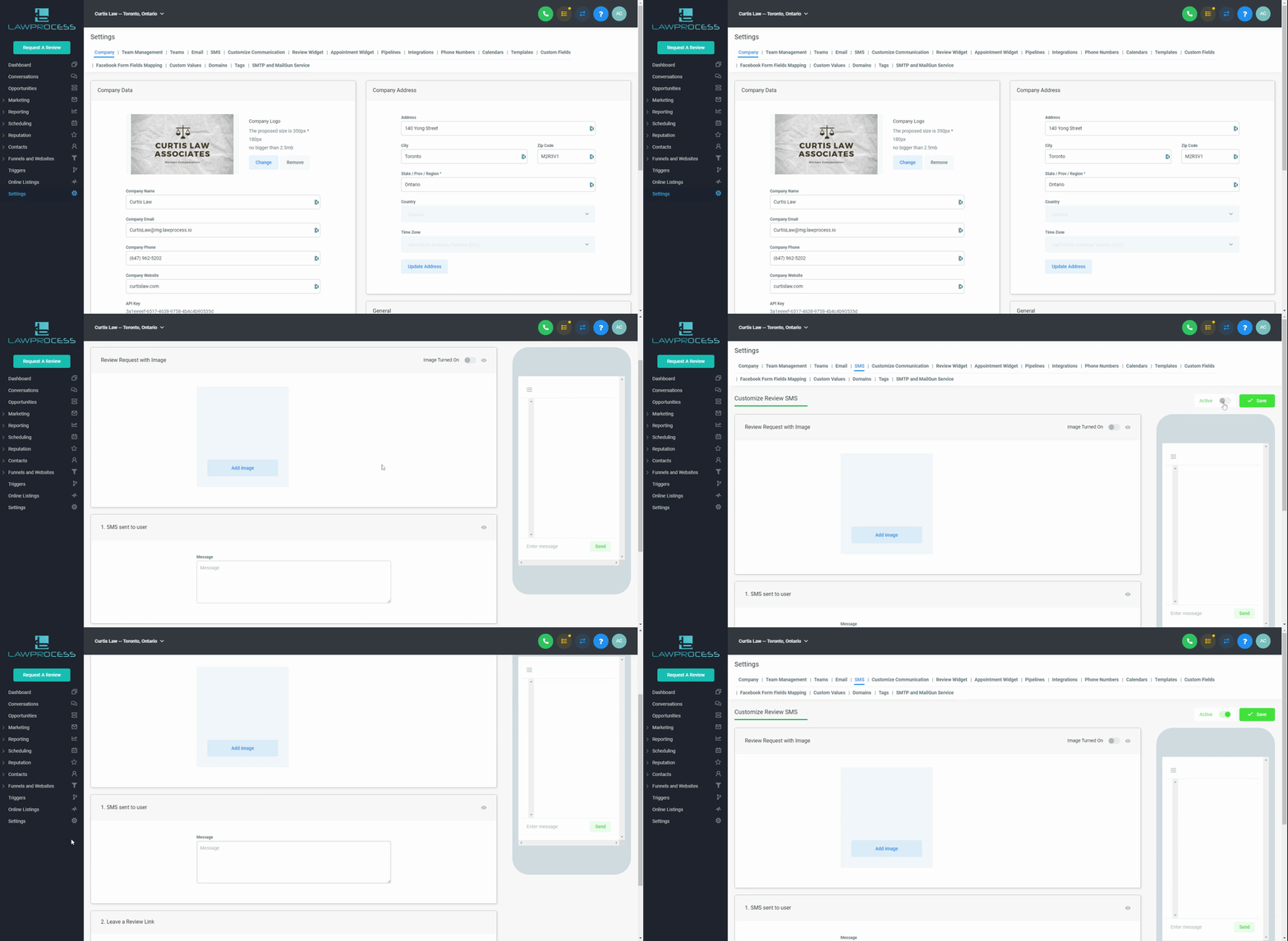
Step 1: Settings → SMS → Add Image (optional) → Create your Message → Activate → Save. See GIF
Part 2: Email Message
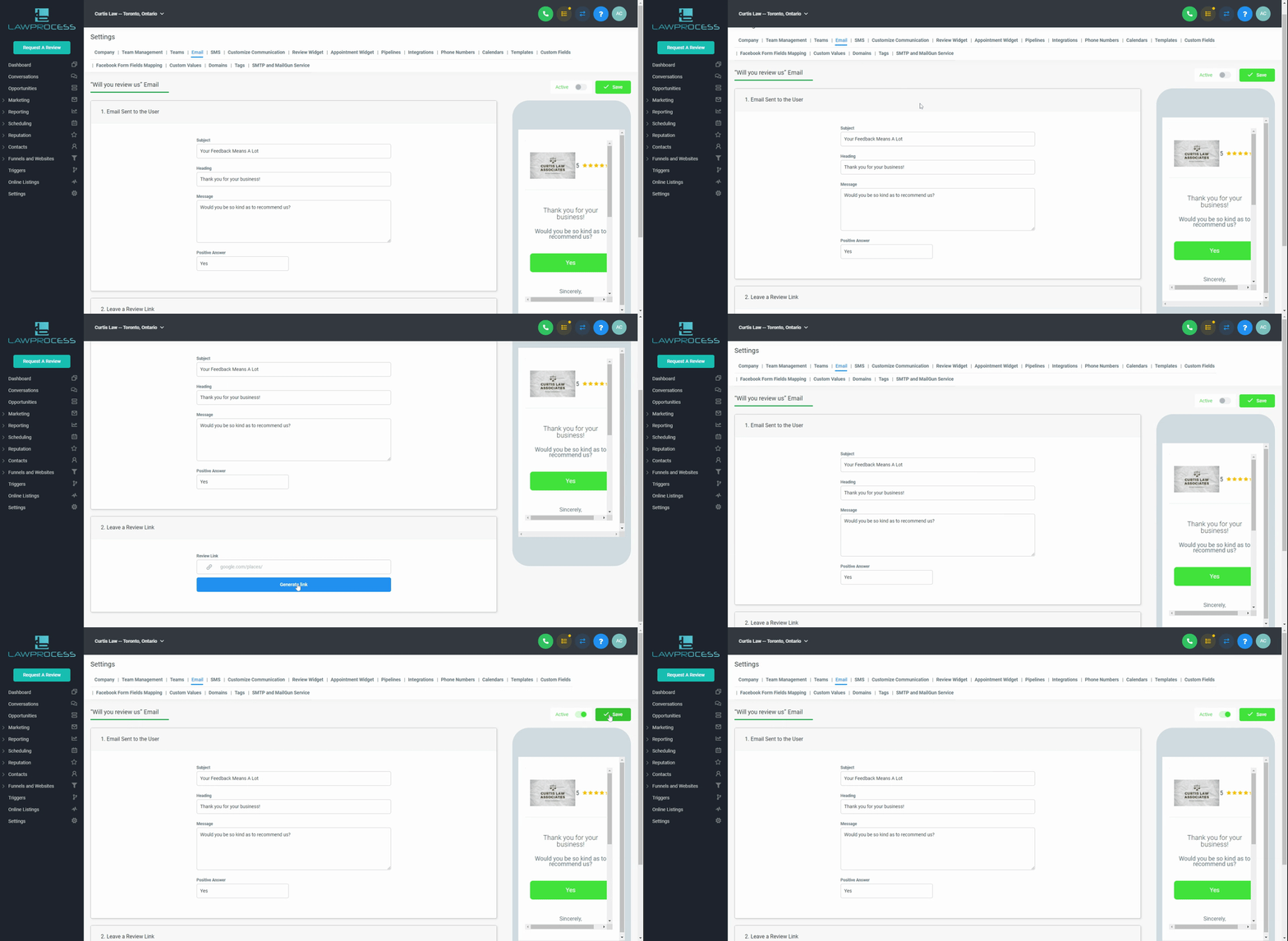
Step 1: Settings → Email → Type in your message → Activate → Save. See GIF
Part 3: Customization
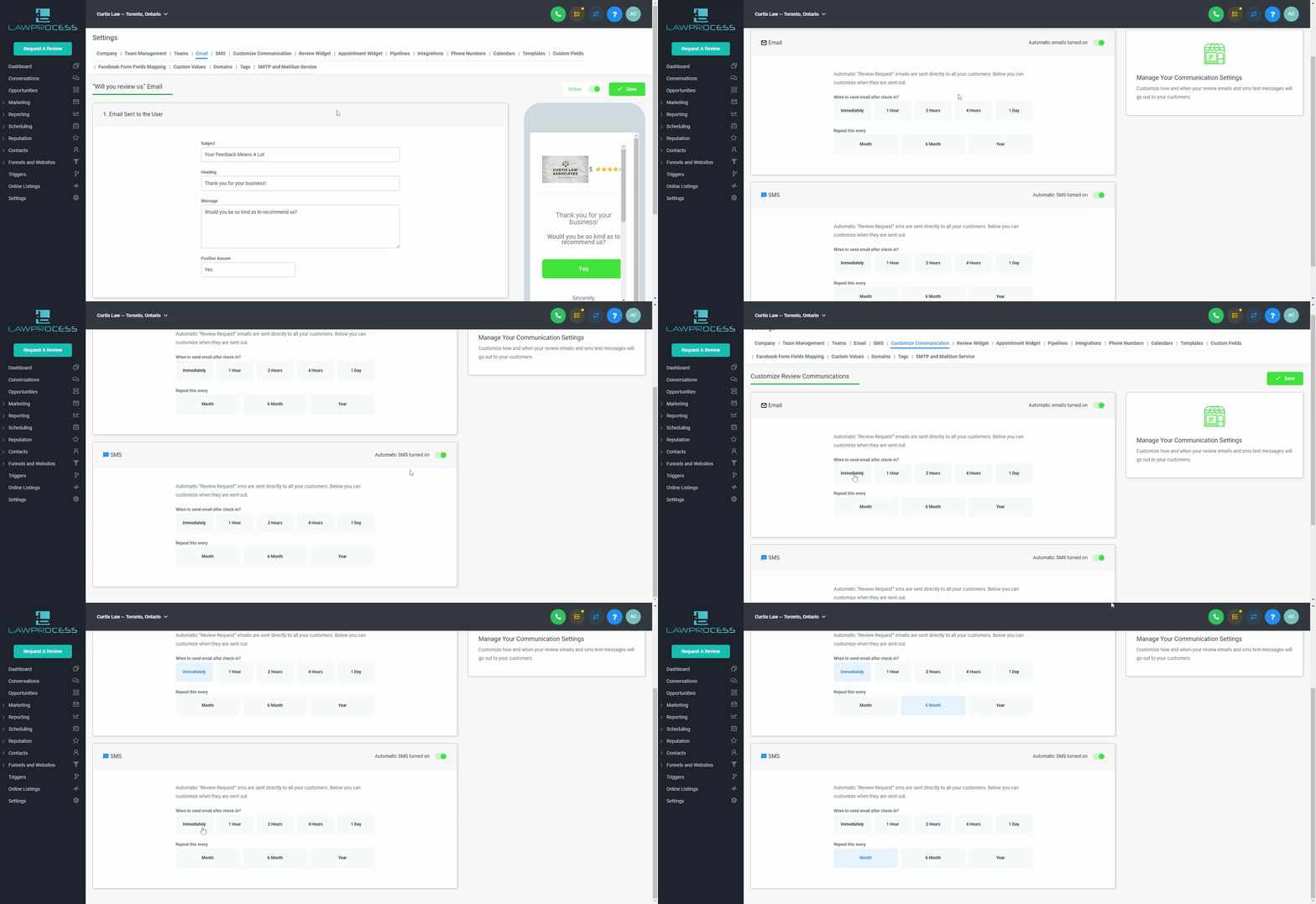
Step 1: Settings → Customized Communication → SMS/ Email → Save. See GIF
Note: To activate the Review simply “Request A Review” and select your client.
